Side Arm Tool

The Side Arm tool interactively generates a Side Arm object based on the parts you select.
Side Arms

Side arms are typically horizontal pipes that cantilever from a vertical structure.
Linked Label Objects
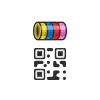
When added to Label Format cells, this pair of tools is designed to respond to data from a specific cell in a Worksheet, and their appearance adjusts based on the data they report.
Auto Hybrid Objects

These interactive objects create and update 2D Hybrid Geometry based on any 3D geometry that is contained.
Data Tag Style Settings
You are not authorized to view this content. Please go to the Membership page to sign up for a subscription. Username Password Remember Me Forgot Password
Data Tags
All objects hold data. One of the best ways to display that data is with Data Tags.
Vectorworks 2025 (Update 4)
Vectorworks is updated regularly, with around eight planned updates for each annual software version.
Inventory
This final section of the dialog allows you to control the appearance of the Inventory Data Fields in the Object Information Palette.
Inventory & Equipment Lists
There are several ways to count inventory in the program, but Vectorworks Spotlight has a specific Command that allows you to count equipment quantities based on what has been added to a drawing and compare these quantities with multiple inventories.
Inventory & Equipment Lists – Filters
You are not authorized to view this content. Please go to the Membership page to sign up for a subscription. Username Password Remember Me Forgot Password